
Sign up as a Candidate
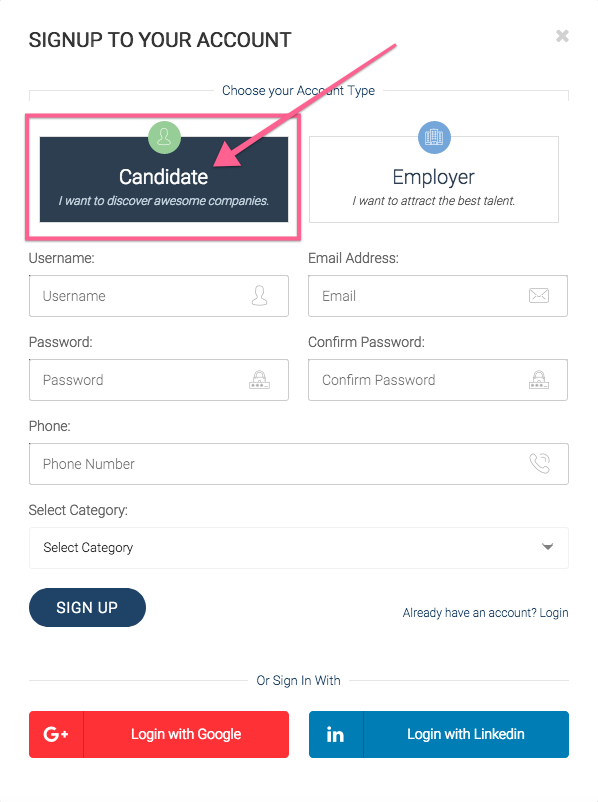
Sign up Popup
Start by visiting the jobs.ly website, from the main menu you can choose to click on Register.
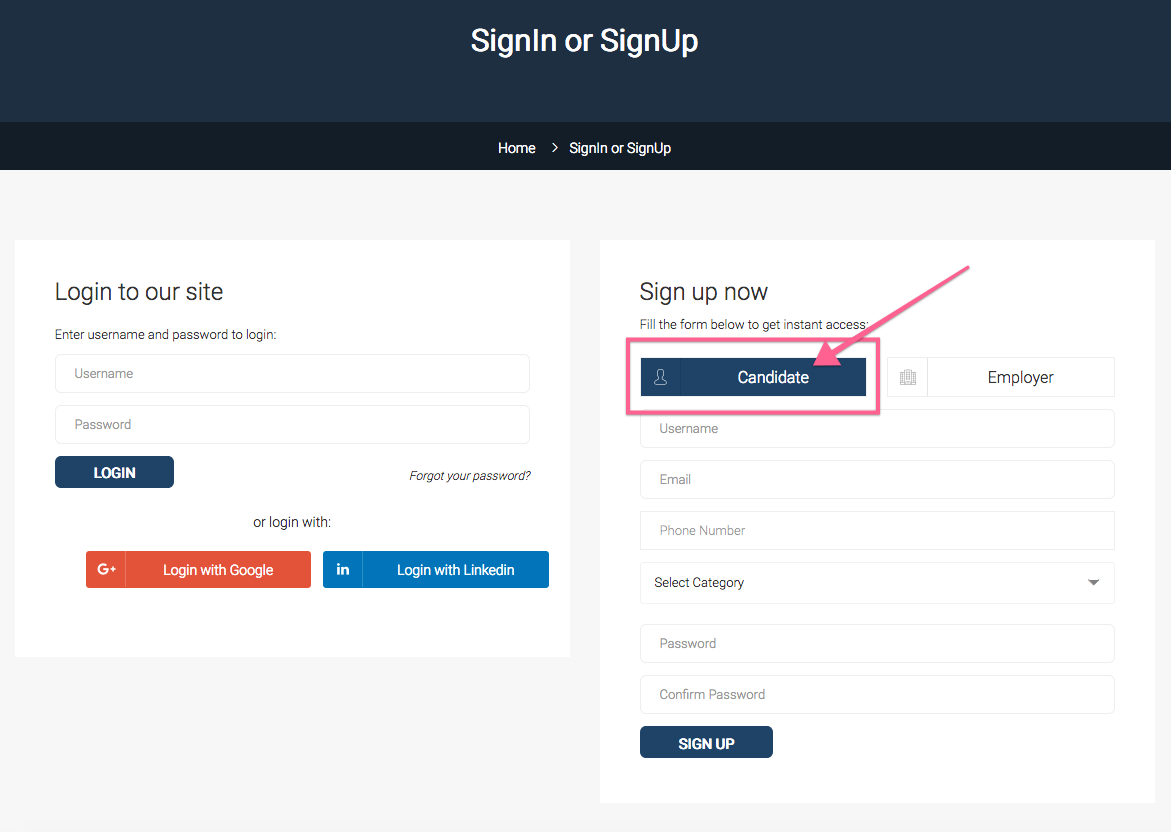
Sign up Page
To set up a Jobs.ly Account, go to the create your Jobs.ly Account page.
Steps
Fill in the Sign-up form
- Candidate: Make sure to choose the Candidate tab not the employer if you are registering as a candidate or job seeker.
- Username: make sure to choose your username in English as this will be used as your username to login and also it will be used as the slug in URL. What is URL and slug, well it is something like this https://jobs.ly/ is the URL of the jobs.ly website, the slug is the following words used as a page name, so https://jobs.ly/candidate/username where username it will be replaced with your chosen username? My name is Hadi Naser, I would write my username like this hadinaser so my link to my CV would look like https://jobs.ly/candidate/hadinaser
- Email: Fill in your email, it is important to use a valid email so you will receive any notification from jobs.ly through this email, also companies will contact you using this email.
- Phone: put your phone number.
- Select Category: Choose the category related to your specialty or industrial. This is important, as employers usually use this to search for candidates related to specific industries.
- Password: Fill in your password.
The final step in the registration process is to click on Sign up button.